OVERVIEW
3D environments such as Maya, 3ds Max and Softimage offer an astounding variety of modeling, animation, dynamics and rendering tools, but do little to enhance the ways in which we may visualize the objects of their creation. The DEcomp environment is intended to provide artists with a perspective-centric approach to 3D scene construction. In its first implementation, DEcomp focuses on forced-perspective configuration planning, supporting the development of the film, Digitalis. In future releases, DEcomp will enhance its forced-perspective tools by adding parameterization and auto-solving functions as well as address other methods of perspective construction such as multiple-point perspective and hybrid perspectives (a combination of multiple visualization methods) by allowing the artist to model the geometry of the viewing frustum.
DEcomp Visual Toolkit 001
Creating forced-perspective imagery, such as the Geometric Homonyms demonstration, requires only two basic mathematical principles: Desargues’ Theorem and the parametric equation of a line in three dimensions. These two principles are sufficient for the construction of a forced-perspective configuration of a set of unrelated points. To generate configurations for more complex geometries, other concerns such as hull convexity and face visibility must be taken into consideration.
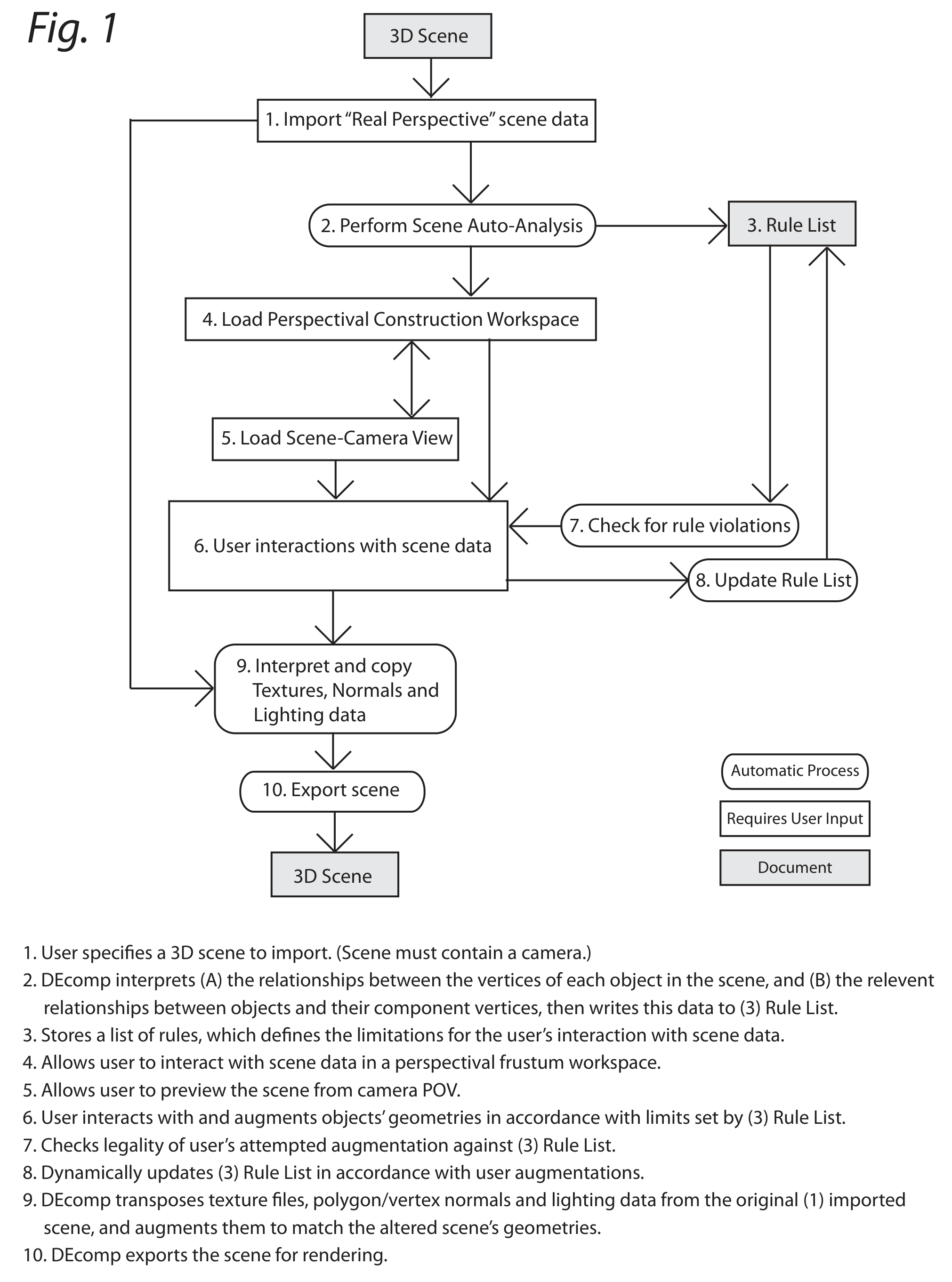
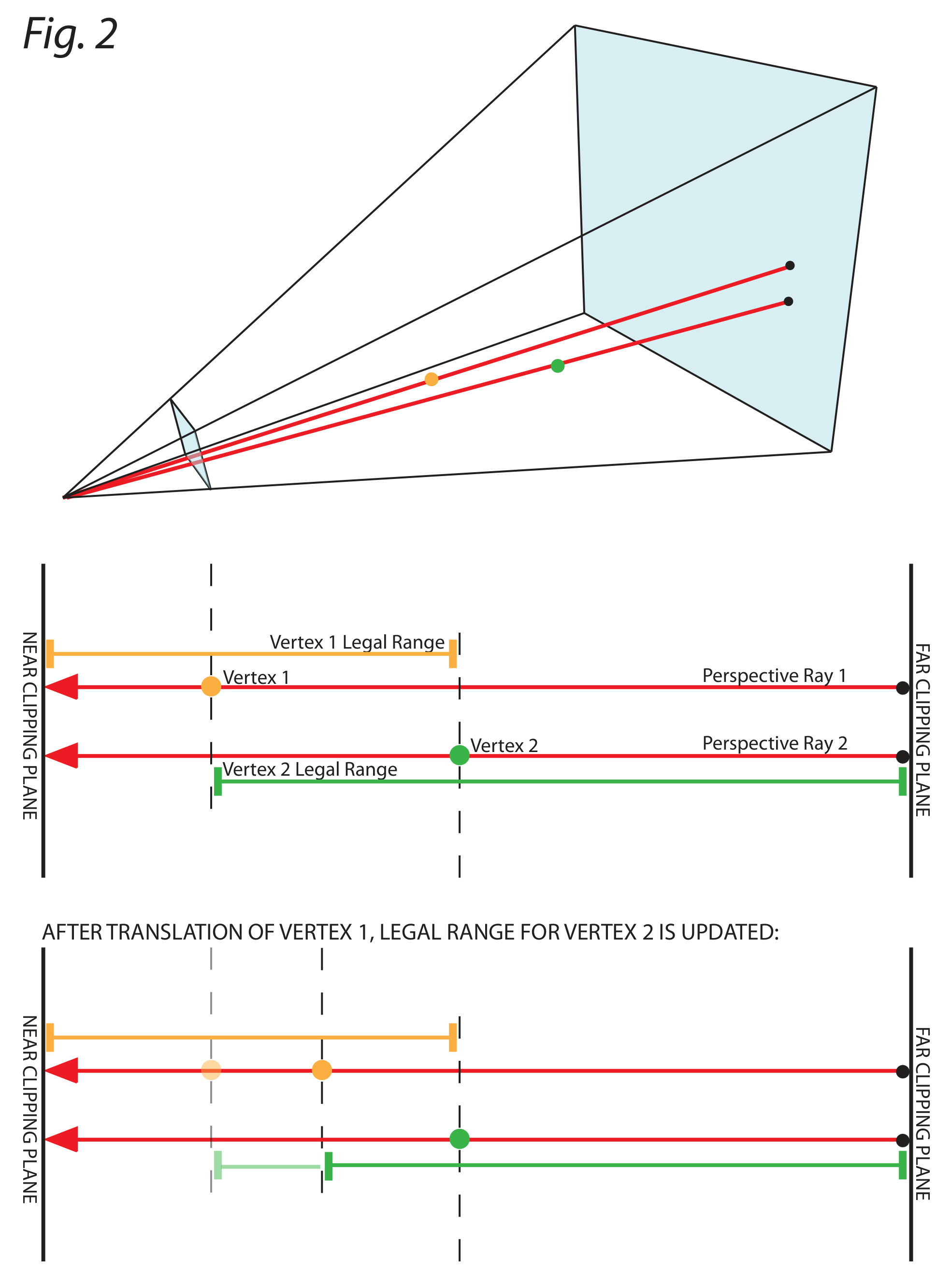
As such, DEcomp analyzes an imported scene and automatically generates a list of rules, which prevent the user from moving an object or vertex to a position that will cause the appearance of the forced-perspective configuration to differ from that of the original scene (See Fig. 1 & 2).
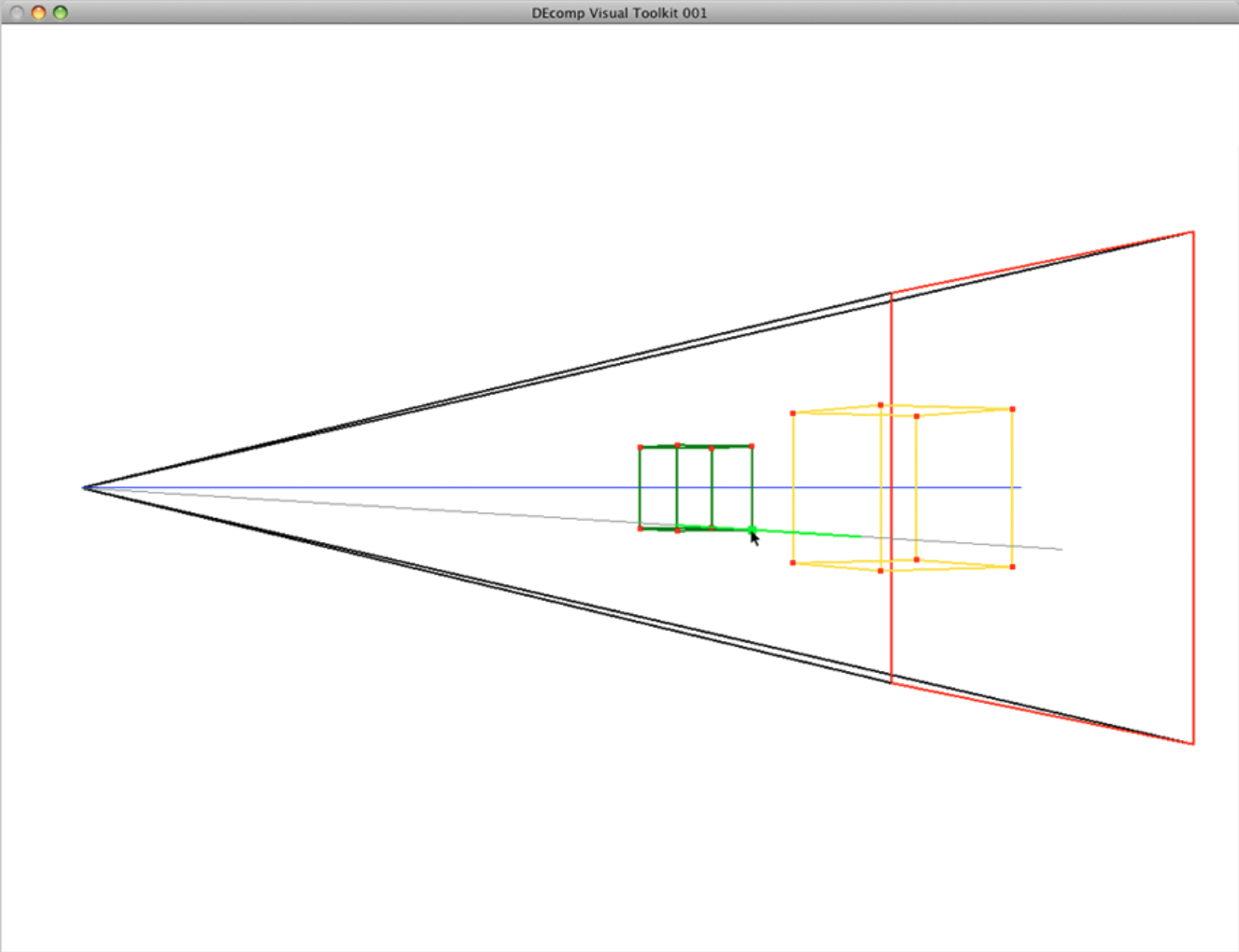
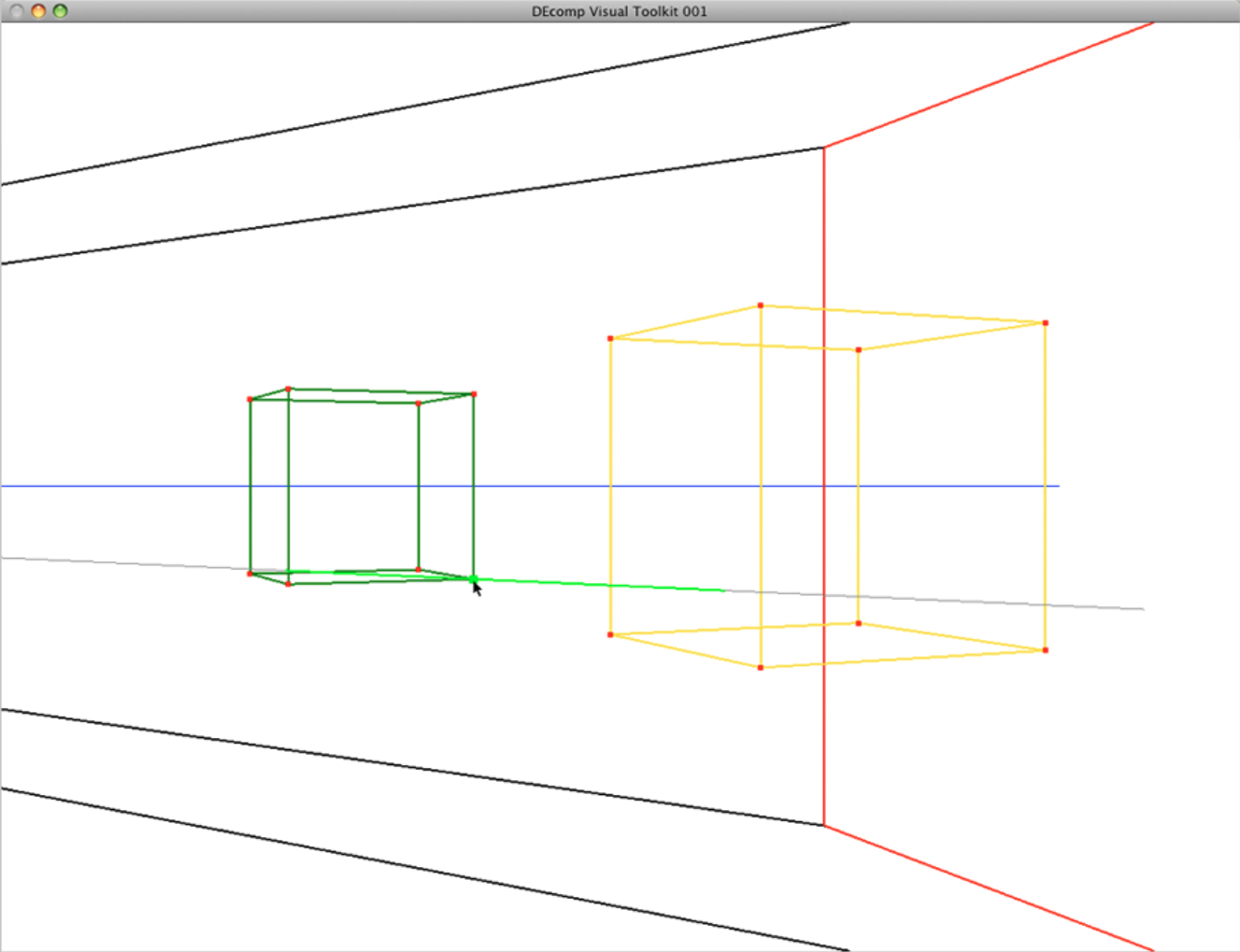
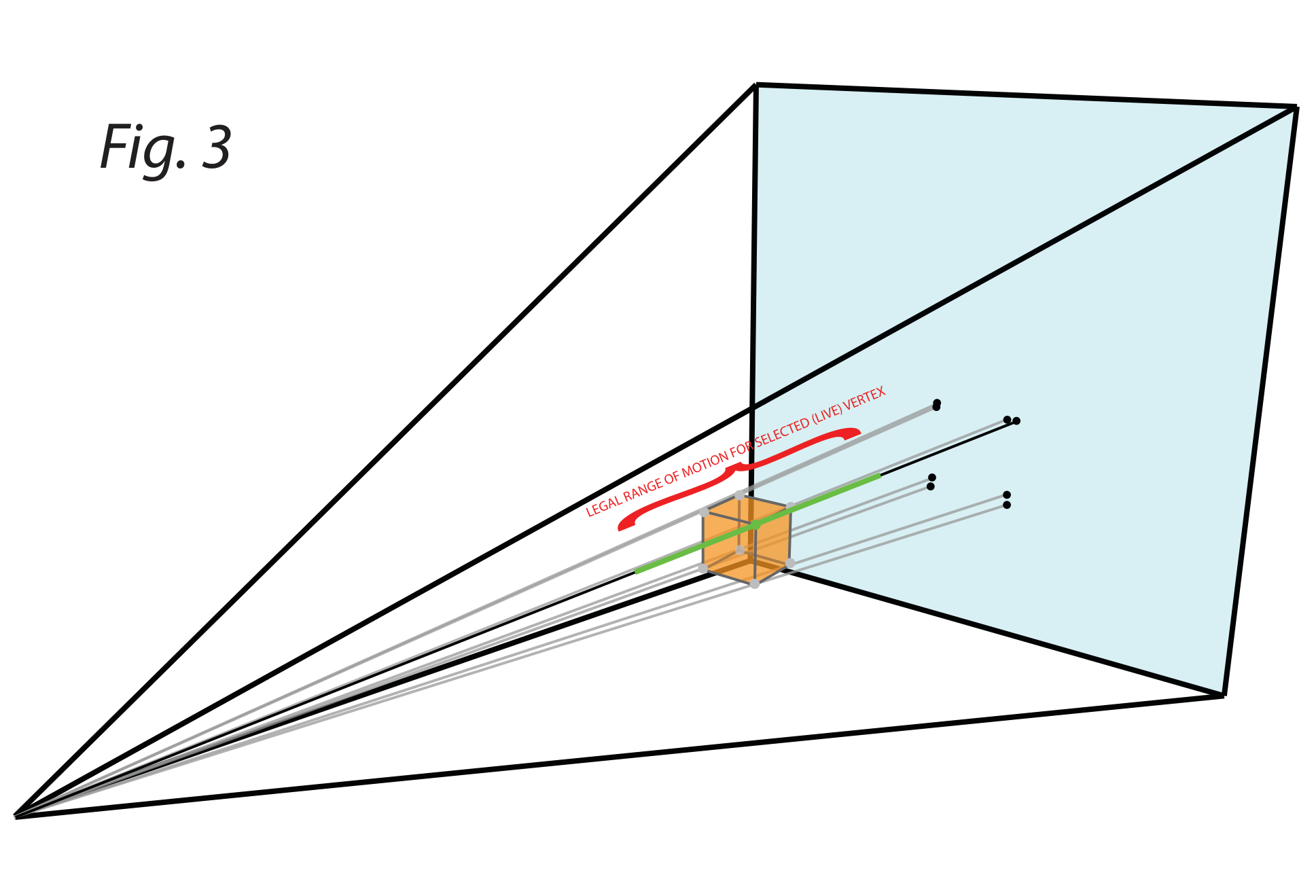
DEcomp’s user-interface, which was built in OpenGL and GLUT, represents each object and vertex of the scene within a pyramidal viewing frustum. The user can pan, zoom and rotate around the frustum to access a particular object or vertex. When the mouse is placed over a vertex, it becomes live for manipulation (See Fig. 3).
By changing the color of the perspectival ray pertaining to a live vertex, DEcomp represents the extent to which the vertex can be moved in either direction. Vertices can also be selected and moved in groups using a lasso tool. Creating a forced-perspective configuration of a scene in DEcomp Visual Toolkit 001 is much like moving boxes around a crowded room, except each box is attached to a rail restricting its movement. This process allows the user to configure complex scenes with ease.
The addition of parameterization tools in future versions of DEcomp, however, will allow users to construct a rough approximation of the intended forced-perspective configuration and have DEcomp suggest ways of achieving the desired effect. The challenge of choreographing a scene within a forced-perspective configuration is that the user must keep the actual geometries and their forced-perspective appearance in mind simultaneously, limiting his or her ability to develop a complex and nuanced sequence of object and character interactions.
As a tool for artists, DEcomp should aid the user in creating a forced-perspective ballet or blockbuster fight scene of any complexity. Fully realizing this aim requires advanced parameterization and scripting tools that draw upon the program’s ability to calculate vast sets of permutations in attempting to achieve a solution that meets certain user-defined criteria for the scene’s construction.